
Every custom wardrobe or kitchen cabinet order has to become a cutting list before the factory can start: the size, thickness, edging, holes and fittings of every panel. In many Malaysian factories one experienced person still does this in Excel. This guide explains what panel furniture software does with that job, step by step, and what to check before you choose one.
What Order Breakdown Means
Order breakdown is the step between design and production. The design of a room becomes production data: every panel with its length, width, thickness and quantity, plus the edging, the drilling, the hardware and the programs for the machines. In the Chinese furniture industry this step is called 拆单.
Where Manual Breakdown Goes Wrong
- It is slow. A manual cutting list can take a skilled person days for one house.
- It depends on one person. When that person is on leave, nobody else can do the cutting list.
- Mistakes are found too late. A wrong hole found at the customer’s house means a remake and a second delivery.
- Boards are wasted. Nesting by feel leaves half-used boards and offcuts that pile up.
- Every change costs time. One change to the drawing and the whole list is done again.
What the Software Does, Step by Step
This is how one order moves through Sunvega DMS, the design-to-manufacture system that iThink implements in Malaysia. Other systems use different names, but the steps are similar.
- Design. Cabinets are dragged in from a parametric library, not modelled from zero, so showroom staff without 3D skills can use it.
- Quote. The price and the render come from the same model that the factory will produce.
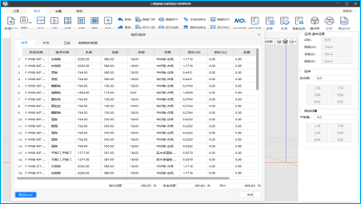
- Break down. One click turns the design into panels, edging, hardware and CNC programs. The system checks the cabinet logic for errors before anything is cut.
- Nest and cut. Panels from the whole batch are nested onto the boards together. Sunvega’s published figure is up to 95% board utilisation.
- Produce. Cutting, drilling and edge banding work from the same data, with barcode tracking at each station.
- Pack and ship. Every panel has a label. Packing is checked by scanning, so all the panels of an order leave together.
What to Check Before You Choose
- Your products. Make sure the system handles what you make: wardrobes, kitchen cabinets or full-house customisation.
- Your machines. Confirm that it connects to your cutting, drilling and edge-banding machines before you commit. Send the brand and model and get an answer first.
- Your product library. Ask who sets up your boards, fittings and cabinet types, and how long it takes.
- Training. Designers, breakdown staff and floor staff need different training. Check that it is done in your factory and in the language your team uses.
- Go-live. Ask who sits with your team for the first real orders.
- Support after go-live. Check who you contact when something goes wrong, and how fast they answer.
- Licensing. The price usually depends on the modules and the number of users.
Is a Small Factory Too Small?
No. Sunvega DMS is aimed at small and mid-size custom panel furniture factories. If you make wardrobes, kitchen cabinets or full-house customisation and the cutting list is your bottleneck, it fits, even with a team of a dozen people.
How iThink Helps
iThink is an official local partner of Sunvega (3vjia), based in Muar, Johor. We first follow how one order really moves through your factory. Then we set up the system for your products and machines, train each role in Chinese or English, and run the first real orders with you. After go-live, you reach us on WhatsApp.
See the Sunvega DMS page, read which system a furniture factory should start with, or contact us for a demo with one of your own orders.
Common Questions
What is order breakdown in panel furniture?
It is the step that turns a furniture design into production data: panel sizes, quantities, edging, drilling, hardware and machine programs. The software does it from the design in one step, instead of a manual cutting list.
Will the software work with my machines?
Sunvega DMS outputs to mainstream CNC routers, beam saws, drilling and edge-banding machines. Send iThink the brand and model of your machines, and we confirm the connection before you commit.
How much board can nesting save?
Sunvega publishes a figure of up to 95% board utilisation. Your own result depends on your products, your board sizes and how many orders are nested together.
Do my staff need 3D design skills?
No. Cabinets are dragged in from a parametric library. iThink trains designers, breakdown staff and floor staff separately.
How long until we really use it?
It depends on the size of your product library and your team's time. iThink runs the first real orders with you, and it only counts as live when your team is comfortable.
Last updated: 12/11/2026